Air Native Extension Explained: How ANEs Unlock Powerful Features in AIR Apps

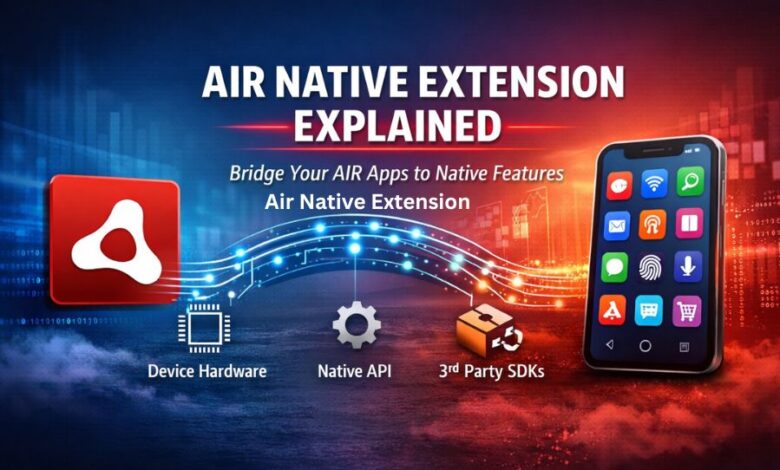
Cross-platform development is attractive because it saves time, reduces duplication, and lets teams manage one codebase for multiple devices. That promise is one of the reasons AIR remains useful for developers building apps for Android, iOS, Windows, and macOS from a shared foundation. The challenge begins when an app needs something beyond the standard runtime, such as advanced camera controls, biometric authentication, push notification services, payment SDKs, or platform-specific background features. This is exactly where an air native extension becomes valuable. AIR’s official documentation explains that native extensions provide ActionScript APIs that connect to platform-specific functionality implemented in native code, allowing developers to access device capabilities not available through built-in ActionScript classes. AIR documentation also confirms that the SDK continues to support cross-platform deployment from a single codebase, while the platform itself is maintained by HARMAN.
What Is an Air Native Extension?
An air native extension, often called an ANE, is a packaged bridge between ActionScript code and native platform code. In practical terms, it lets an AIR app call device-specific functions while keeping the main application logic inside the AIR environment. According to the AIR SDK documentation, a native extension combines ActionScript classes with native code, but the AIR application developer usually interacts only with the ActionScript side. That means the developer can write code that feels familiar at the app layer, while the extension handles communication with native iOS, Android, Windows, or macOS components underneath. This structure is especially useful when the required functionality depends on hardware access, operating system APIs, or legacy native code that would be impossible or inefficient to reproduce in pure ActionScript.
Why ANEs Matter in Modern AIR Development
The biggest reason developers use an air native extension is simple: real-world mobile and desktop apps often need features that the core AIR framework does not expose directly. AIR’s own documentation states that native extensions are useful when native code provides access to platform-specific features, when native implementations can offer better performance, and when developers need ActionScript access to existing native code libraries. This makes ANEs more than a technical convenience. They are often the difference between building a modern app with competitive features and being limited by the default runtime alone. If a team wants to integrate analytics tools, ad SDKs, sign-in services, advanced notification systems, or specialized hardware behavior, an ANE often becomes the most practical path.
How an Air Native Extension Actually Works
At a conceptual level, an air native extension works as a translation layer. Your AIR application calls an ActionScript API exposed by the extension. That ActionScript layer communicates with native platform code compiled specifically for the target operating system. The extension then executes the native function and passes data or events back to the AIR app. AIR’s packaging documentation shows that an ANE file can include an extension descriptor, a SWC containing the ActionScript code and resources, and one or more platform-specific native implementations. The AIR Developer Tool supports packaging ANEs using -target ane, with separate platform entries so a single extension package can define support for multiple targets.
This architecture is important because it preserves the cross-platform nature of the app without pretending every feature is automatically cross-platform. The shared AIR code remains common, while the platform-specific logic lives inside the extension. That separation is one of the reasons ANEs are so powerful. Developers can maintain most of the product in one codebase while selectively writing native integrations only where necessary. Instead of rebuilding the entire application in Swift, Kotlin, Java, Objective-C, C++, or platform-specific desktop frameworks, they isolate the native requirement inside the ANE and keep the rest of the workflow consistent.
Common Use Cases for Air Native Extensions
A well-built air native extension can support many high-value features. Developers often use ANEs for push notifications, in-app purchases, authentication systems, ad mediation, camera access, Bluetooth communication, file-sharing tools, haptics, biometrics, game services, and third-party SDK integrations. AIR’s official docs do not list every commercial scenario, but they do explicitly say native extensions enable access to device-specific hardware and software, as well as legacy native code and higher-performance native implementations. That means ANEs are ideal when an AIR application needs deeper device integration or wants to adopt services that only provide native SDKs. Commercial ANE ecosystems also remain active, with dedicated documentation portals continuing to publish extension guides and API references for AIR-based development.
The Main Benefits of Using an Air Native Extension
One major benefit of an air native extension is flexibility. It extends AIR without forcing a complete technology shift. Another benefit is performance, because certain tasks run more efficiently when implemented in native code rather than ActionScript. AIR documentation specifically notes that a native implementation can sometimes be faster than an implementation using only ActionScript. ANEs also improve development reach by allowing AIR apps to connect with SDKs that would otherwise remain unavailable. From a business perspective, that means teams can continue benefiting from their existing AIR expertise while still offering modern app features expected by users in 2026. Instead of abandoning the platform because one feature is missing, developers can fill the gap through an ANE and keep their broader architecture intact.
Important Technical Considerations Before Using ANEs
Although an air native extension is powerful, it is not magic. Every extension introduces native dependencies, packaging requirements, testing responsibilities, and possible platform differences. AIR’s tooling documentation makes it clear that ANEs must be packaged correctly with the right descriptor information and native library settings. The error reference also shows that packaging can fail when profiles do not support native extensions, when required native library and initializer entries are missing, or when developers attempt to use unsupported targets. In other words, ANEs require precision. A good extension strategy includes version management, platform-by-platform testing, SDK compatibility checks, and careful documentation so updates do not break the app later.
Developers also need to think about maintenance. Because ANEs rely on native OS behavior and often on external SDKs, they may need updates whenever Apple, Google, Microsoft, or a third-party provider changes its requirements. This is especially relevant for mobile publishing, where store rules and platform libraries evolve regularly. AIR release notes continue to document packaging changes and support updates, including improvements related to AIR Native Extensions in recent SDK releases. That ongoing update cycle is a reminder that ANEs are effective only when they are actively maintained.
Air Native Extension and the Future of AIR Apps
Some developers still assume AIR belongs only to an earlier generation of app development, but that view is too simplistic. AIR remains actively documented, its SDK is maintained by HARMAN, and its ecosystem still includes native extension tooling and extension vendors. The real strength of AIR today is not that it replaces every native workflow, but that it gives teams a stable cross-platform foundation while ANEs handle the specialized integrations. In that sense, the air native extension is not just an optional add-on. It is one of the core reasons AIR can remain useful in projects that need both speed of cross-platform development and access to advanced platform-specific features.
Best Practices for Getting Results with ANEs
To get the most from an air native extension, developers should treat extension selection as an architectural decision rather than a quick plug-in choice. It is wise to choose ANEs that are well documented, actively updated, and tested against current AIR SDK versions. Teams should also isolate critical platform logic, document dependencies clearly, and verify behavior separately on Android, iOS, Windows, and macOS where relevant. During development, AIR’s debugging tools such as ADL can assist with testing the broader app flow, although the complete extension behavior must still be validated in the appropriate target environment. Strong planning at the beginning reduces debugging problems later and helps ensure the extension supports business goals rather than becoming a maintenance burden.
Conclusion
An air native extension is one of the most important tools available to AIR developers who want more than the standard runtime can offer. It connects ActionScript-based applications with native hardware access, OS-level functionality, and third-party SDKs, making it possible to build richer and more competitive apps without giving up the efficiency of a shared cross-platform codebase. For teams working in AIR, ANEs are not merely technical extras. They are practical enablers that allow modern features, stronger integrations, and better user experiences. When chosen carefully and maintained properly, a well-designed air native extension can transform a limited AIR application into a far more capable product.
(FAQs)
What is an air native extension in simple words?
An air native extension is a bridge that allows an AIR app to use native device features through ActionScript-friendly APIs backed by platform-specific code.
Why do developers use ANEs in AIR apps?
Developers use ANEs when they need access to features not available in the standard AIR framework, such as device hardware, native APIs, or third-party SDKs. AIR documentation also notes that native code can sometimes deliver better performance.
Can one ANE support multiple platforms?
Yes. AIR’s packaging documentation shows that ANEs can include multiple -platform entries, allowing a single extension package to define support for different platforms.
Is AIR still maintained today?
Yes. AIR is currently maintained by HARMAN, and the official AIR SDK documentation and release notes continue to be updated.
Are ANEs difficult to manage?
They can be, especially when native SDK requirements change. AIR’s documentation includes packaging rules and error references that show ANEs require correct setup, supported targets, and ongoing maintenance